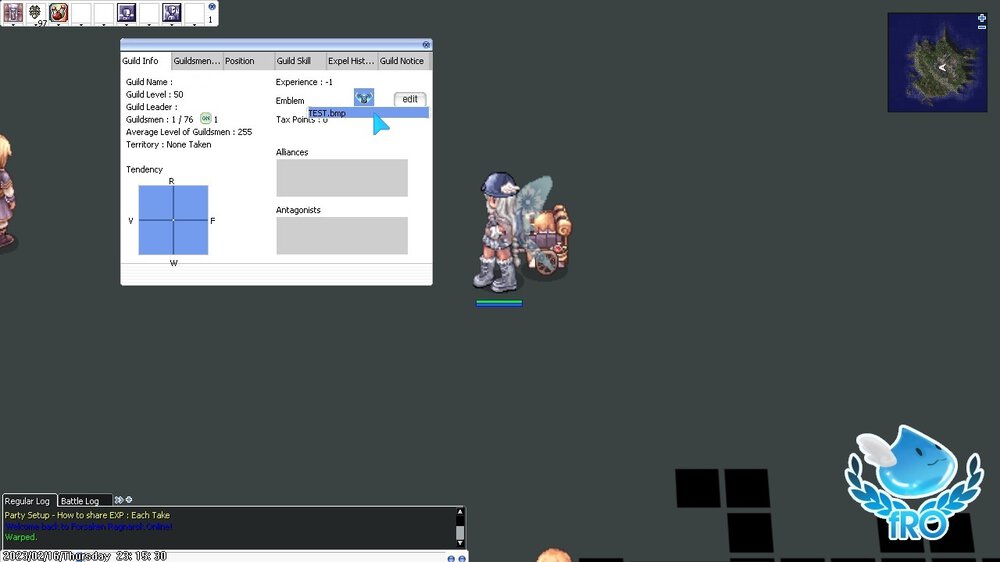
Guild Emblem
Step 1
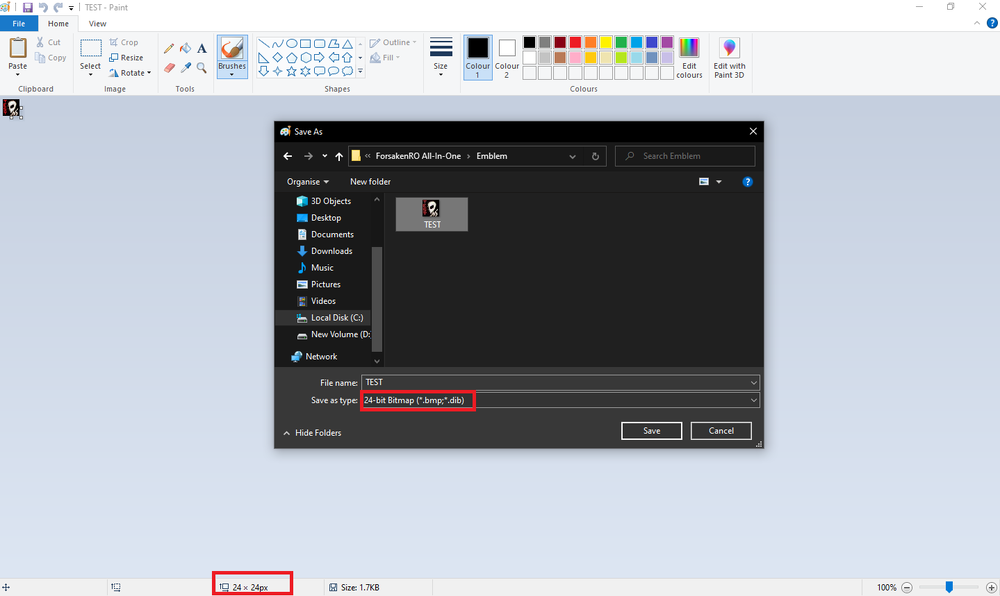
Make sure that the image file intended to be used as the Guild Emblem is 24×24 pixel Bitmap (.bmp) format file in at 256 colors (8bit).
Warning
NOTE: The transparency color for guild emblems has the RGB values (255, 0, 255), or you may use the hex value #FF00FF.
Step 2
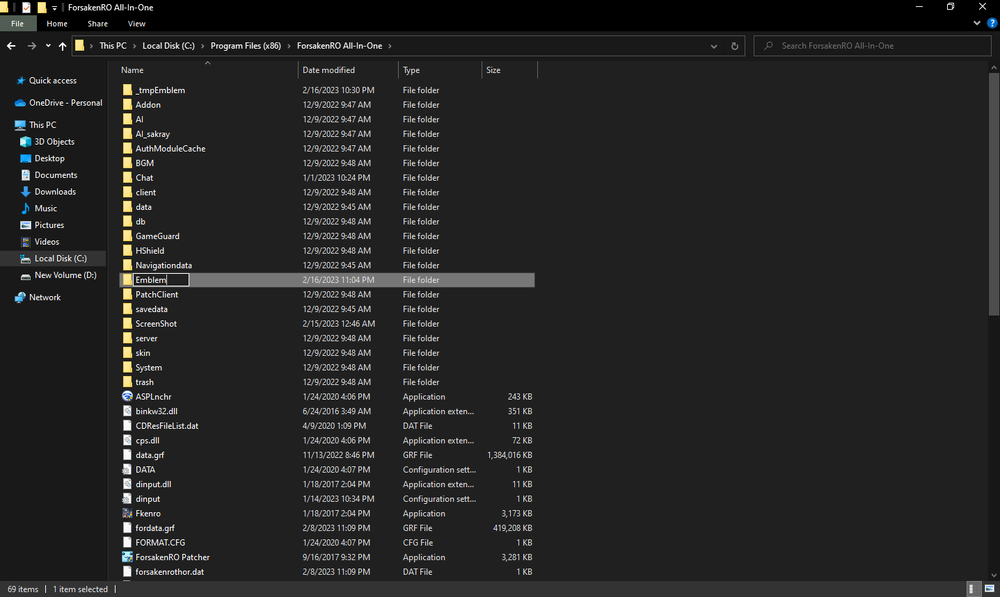
Create a new folder named “Emblem” in the Forsaken Ragnarok Online file directory.
Hint
By default, the RO file directory is C:Program Files (x86)ForsakenRO All-In-OneEmblem.
Step 3
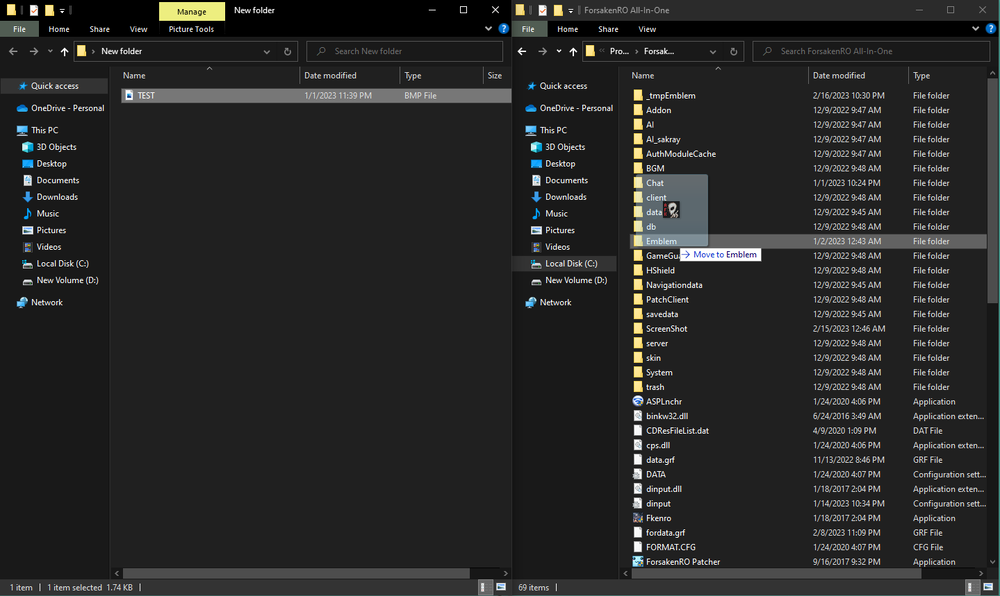
Copy (Ctrl+C) or Move the Guild Emblem bitmap file to ForsakenRO All-In-One Folder and select the Emblem folder you have just created.
Step 4
Log into the Forsaken Ragnarok Online game and open the Guild menu (Alt+G) and click on the `EDIT` button. The name of your Guild Emblem file should be available in the Drop-Down Menu, select it and it will be set as your Guild’s emblem.